


This write-up describes a specialized OpenBullet configuration created by the developer Pickim. It is designed for scanning IPTV Stalker Portals to validate or discover active MAC addresses.
Disclaimer: Tools like these are frequently used for unauthorized access to paid services. Using them to access IPTV accounts without a subscription is generally illegal and violates terms of service. Additionally, downloading configs from unverified sources carries a high risk of malware or keyloggers. Cyogenus/IPTV-MAC-STALKER-PLAYER-BY-MY-1 - GitHub Open VLC, go to File > Open Network
MAC Address Authentication: Bypasses traditional username/password logins by scanning for valid MAC addresses registered to a Stalker portal. go to File >
Load the Config: Import the .loli or .opk file into OpenBullet. it targets Stalker Portals
The "Open Bullet IPTV MAC Scan Stalker" by Pickim is a custom configuration (config) designed to automate the scanning of IPTV (Internet Protocol Television) servers. Specifically, it targets Stalker Portals, which are middleware interfaces used by IPTV providers to manage subscriptions via MAC addresses. Key Functions
This string appears to be URL-encoded and includes emojis. When decoded, the emojis are:
Portal URL: Identifying the server address of an IPTV provider.
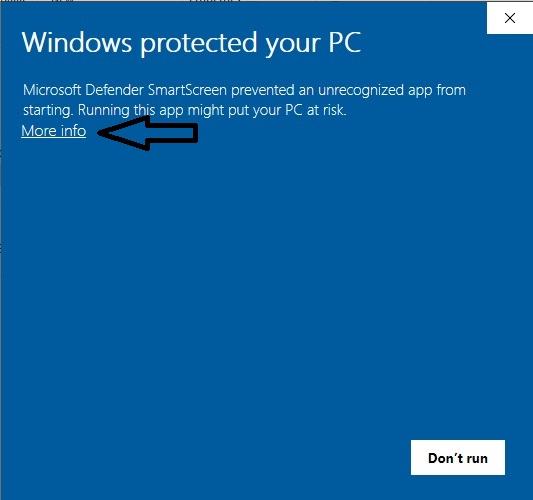
File > Open Network...Open.Rezolvare problema "Windows protected your PC"
1. Priumul pas: Deschidem install-ul si afiseaza mesajul din prima poza ;
2. Pasul 2: Apasam pe More Info ;
3. Pasul 3: Dam click pe "Run Anyway"
4. Pasul 4: Urmati pasii normali de instalare ! ENJOY !!!